Low-Impact Tech: The Complete Guide to Greener Devices
The world generates over 60 million tonnes of electronic waste a year according to the UN's Global E-waste Monitor, and less than a quarter of it is formally collected and recycled — the rest is landfilled, incinerated, or exported, often losing the recoverable copper, gold, and rare-earth elements inside for good. Most of that footprint isn't in how you use a device, it's in how it was made: manufacturing a new laptop accounts for the large majority of its lifetime carbon footprint, dwarfing the electricity it draws over years of use. That means the single highest-impact choice you can make is keeping hardware in use longer — buying refurbished, choosing repairable models, and running devices until they're genuinely obsolete rather than merely unfashionable. This guide covers what EPEAT and Energy Star certifications actually verify, how to evaluate refurbished laptops and phones without getting a lemon, what right-to-repair laws mean for your next purchase, and practical habits that cut both your electricity draw and your e-waste footprint without asking you to give up modern tools.
Top-Rated Low-Impact Tech Products
Not sure? Take the quiz →
BigBlue 60W Portable Solar Panel with 45W USB-C PD
BigBlue
A real 60W foldable solar charger with a 45W USB-C Power Delivery port, IP68 waterproofing, and a built-in kickstand.
- ✓Genuine 60W foldable panel with real 45W USB-C Power Delivery output
- ✓IP68 waterproofing from an established multi-generation solar-charger brand
- ✓Confirmed current Amazon price close to the original listing

Logitech MX Mechanical Mini Low-Profile Keyboard
Logitech
A low-profile mechanical keyboard from Logitech, a company with a large, independently documented company-wide recycled-plastic program across its keyboard and mouse lineup.
- ✓Logitech's recycled-plastic program is genuinely documented at the company level (over 80% of mice/keyboard units include certified post-consumer recycled plastic)
- ✓Real mechanical switches from an established, widely-reviewed brand
- ✓Backlit, multi-device Bluetooth pairing
Latest Low-Impact Tech Articles
The case for switching
Why Low-Impact Tech Choices Matter
- ✓ Manufacturing dominates a device's carbon footprint: for a typical laptop, producing the unit — mining raw materials, fabricating chips, assembling components — accounts for the large majority of its lifetime emissions, far more than the electricity used to run it. Extending a device's usable life by even a couple of years is one of the highest-impact things you can do.
- ✓ Global e-waste generation has been rising for years and formal collection hasn't kept pace — the UN's Global E-waste Monitor puts documented collection and recycling at well under a quarter of total e-waste, meaning most discarded electronics never get their materials recovered.
- ✓ Phantom load adds up: many chargers, game consoles, and 'smart' devices draw standby power even when off or idle. A single device left plugged in on standby year-round is a small draw individually, but multiplied across every device in a household it becomes a measurable share of home electricity use.
- ✓ Right-to-repair legislation — now enacted in states including New York, California, Minnesota, and Colorado — increasingly requires manufacturers to make parts, tools, and repair manuals available to consumers and independent shops, which directly extends how long a device can stay economical to fix rather than replace.
- ✓ Refurbished electronics carry a materially lower footprint than new: because manufacturing (not use) dominates lifecycle emissions, a certified refurbished laptop or phone avoids most of that footprint entirely while typically costing 30–50% less than the equivalent new model.
How to do it
7 Tips for Lower-Impact Tech Use
- 1 Buy refurbished from a certified reseller Manufacturer-certified refurbished programs (Apple Certified Refurbished, Dell Refurbished, or resellers like Back Market) test and replace worn components — battery, storage — and back the unit with a real warranty, unlike an uncertified used listing where condition is a guess.
- 2 Check EPEAT and Energy Star before buying new EPEAT rates electronics on material reduction, energy efficiency, and end-of-life recyclability across Bronze/Silver/Gold tiers; Energy Star certifies energy efficiency specifically. Both are third-party verified, unlike a manufacturer's own 'eco' labeling, and many institutional and government purchasing programs require EPEAT registration for exactly that reason.
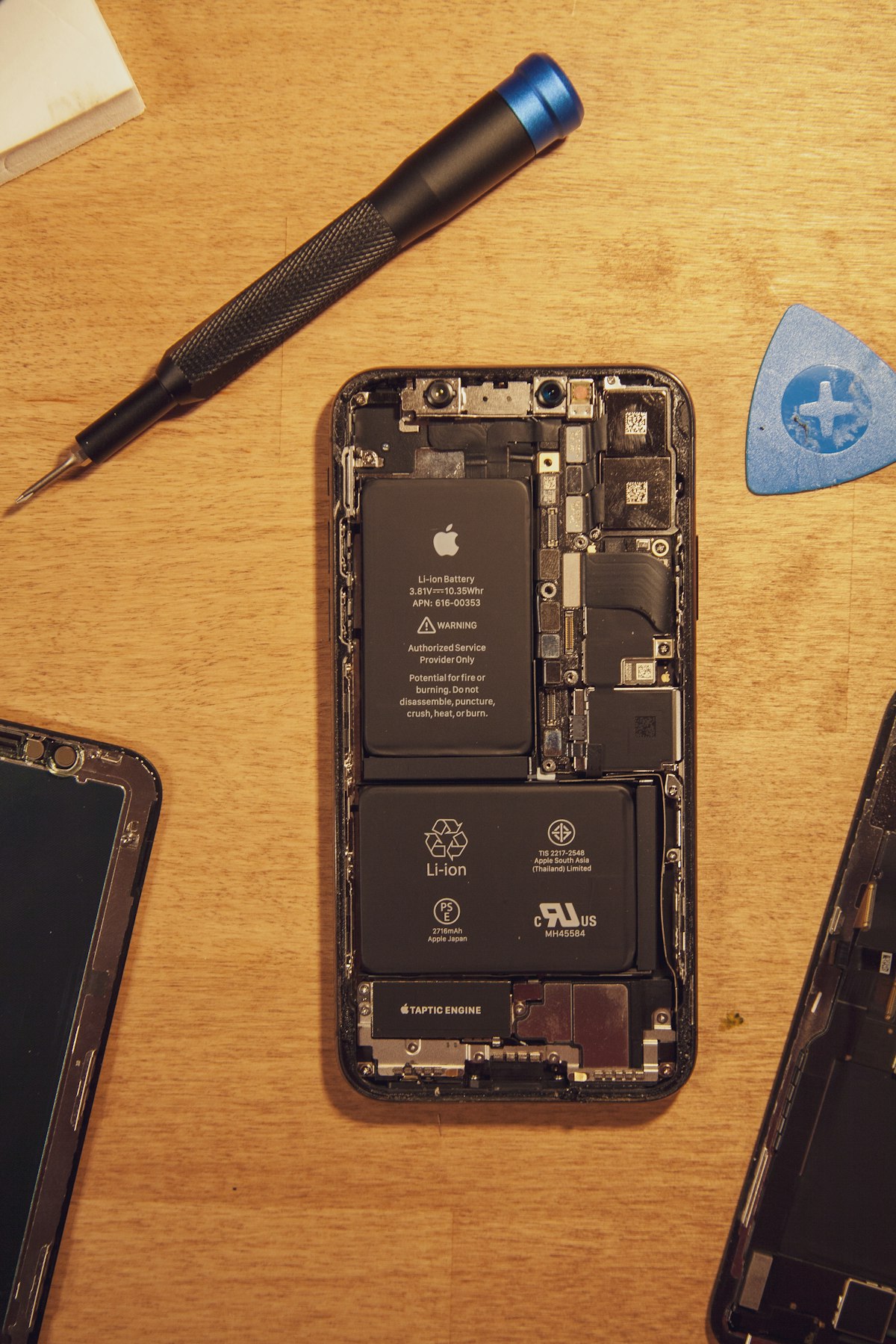
- 3 Replace the battery before replacing the device A degraded battery is the single most common reason people upgrade a phone or laptop that's otherwise fully functional. A battery swap costs a fraction of a new device and, on models with accessible batteries, can add several years of useful life.
- 4 Kill phantom load with a smart power strip Group chargers, monitors, and peripherals on a switched power strip so they fully cut power when not in use, rather than idling in standby. This matters most for older electronics and always-on peripherals that lack a proper low-power sleep mode.
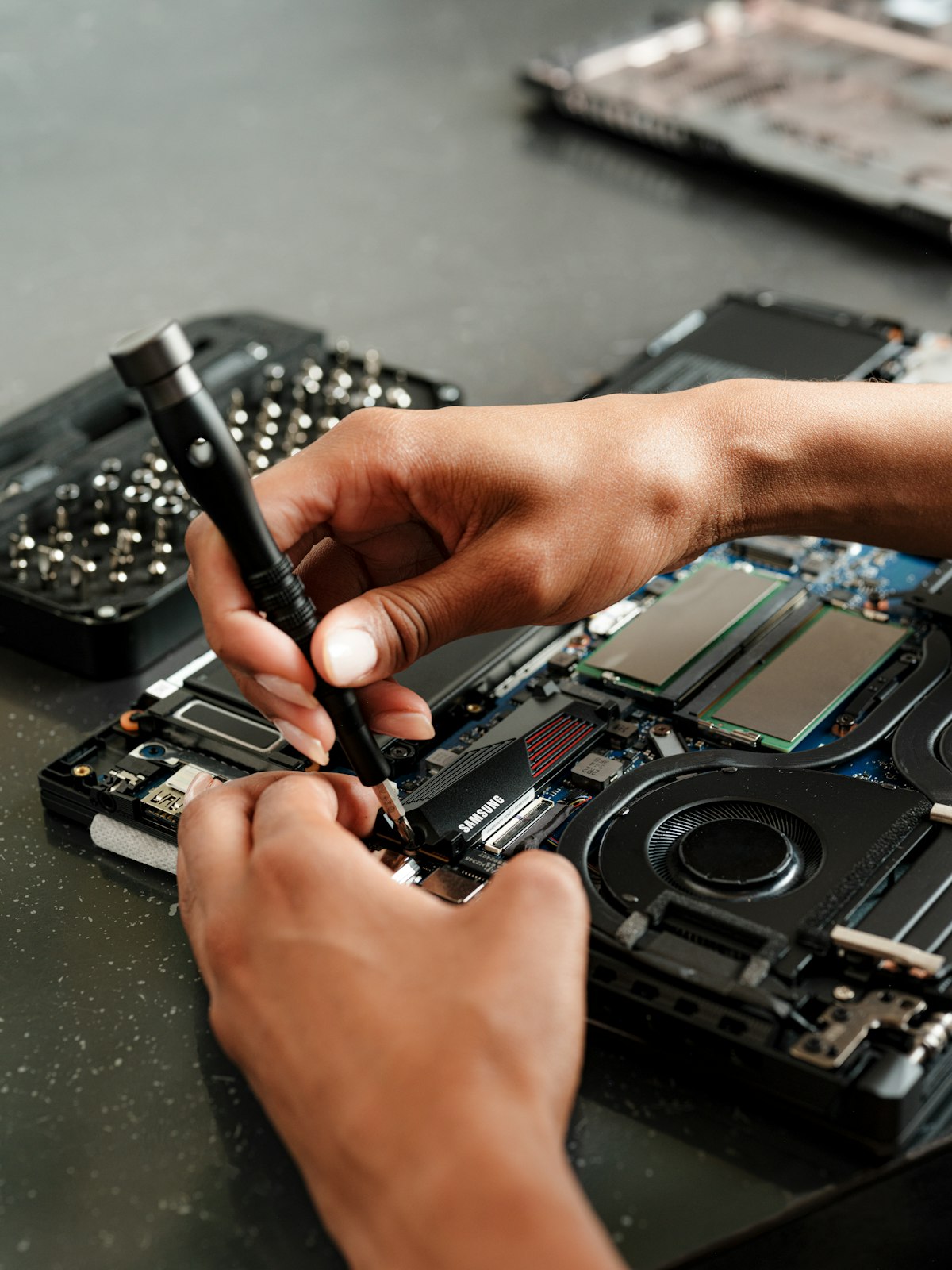
- 5 Extend laptop life with a RAM or SSD upgrade instead of a new machine Sluggish performance is often a storage or memory bottleneck, not an obsolete processor. On models with user-accessible components, a $50–100 SSD or RAM upgrade can meaningfully extend a laptop's usable life by several years.
- 6 Favor modular and repairable brands Framework laptops and Fairphone devices are built explicitly around user-replaceable parts (keyboard, battery, ports, screen) and publish repair guides, which stands in contrast to sealed-unibody designs where a single failed component often means replacing the whole device.
- 7 Recycle through a certified e-waste program, never the trash bin Look for R2 (Responsible Recycling) or e-Stewards certified recyclers, or a manufacturer take-back program (Apple, Dell, and Best Buy all run one) — these standards specifically prohibit exporting e-waste to unregulated processing, which is where the toxic materials and lost recovery happen.
Also see: Green Infrastructure swaps guide →
Common questions
FAQ
Everything readers ask us most about making the low-impact tech switch.
Get matched
Want personalised picks?
Answer 7 questions → we match you to the best swaps for your home.