Smart Thermostats, Solar Lighting & Energy Monitoring: The Complete Energy Automation Guide
Heating and cooling make up the largest share of a typical home's energy bill, and most of that energy is spent maintaining a temperature nobody's home to notice. Add in electronics that draw power around the clock even when switched 'off,' and outdoor lighting still wired into the grid for a job solar panels have handled reliably for years, and a lot of household energy use turns out to be automatable waste rather than genuine need. This guide covers three categories that consistently deliver real savings when set up correctly: ENERGY STAR certified smart thermostats, which learn or follow a setback schedule to avoid heating and cooling an empty house; solar-powered outdoor lighting, which eliminates wiring and grid draw entirely for paths, gardens, and security lights; and energy-monitoring smart plugs, which reveal exactly which idle electronics are quietly running up your bill. None of these are magic — a smart thermostat left on a single fixed temperature saves nothing over a manual one, and a cheap solar light with a tiny battery will disappoint by October. We'll walk through what actually drives the savings, how to avoid the common setup mistakes that erase them, and seven practical steps to automate your home's energy use without an electrician.
Top-Rated Energy Automation Products
Not sure? Take the quiz →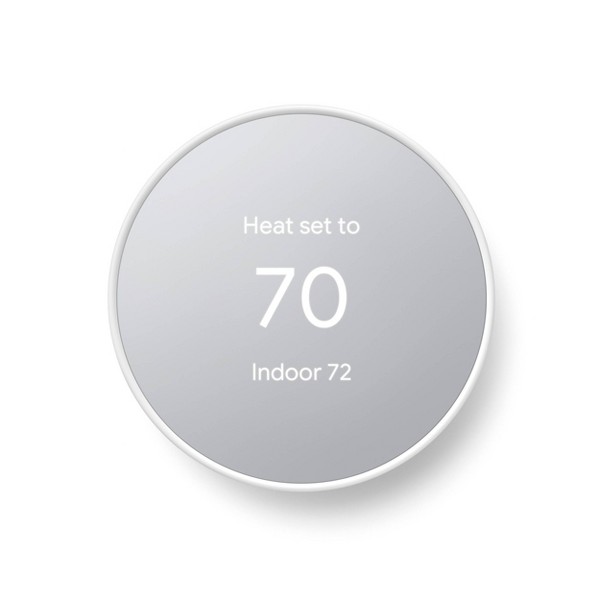
Google Nest Thermostat
Google Nest
An affordable smart thermostat that builds its own schedule from your habits and reports back energy-saving history in the app — effective for cutting HVAC waste, but not every home's wiring is ready for it.
- ✓Auto-adjusts and builds a schedule from actual usage, no manual programming required
- ✓Works with most 24V HVAC systems, and many homes don't need a C-wire
- ✓App-based energy history makes it easy to spot and cut wasteful heating/cooling habits
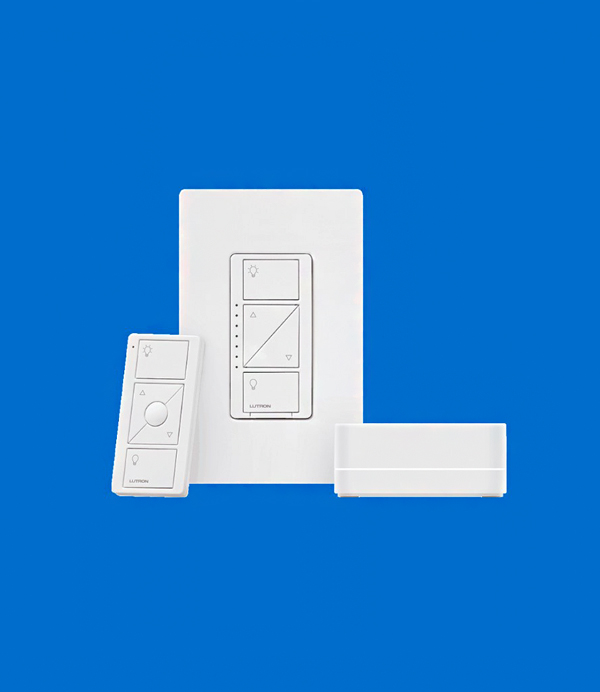
Lutron Caseta Smart Dimmer Starter Kit
Lutron
A smart dimmer and hub bundle that runs on its own reliable radio protocol instead of Wi-Fi, so it stays responsive even on congested home networks — the tradeoff is you need the included Lutron bridge for full smart-home integration.
- ✓Doesn't rely on home Wi-Fi, so it stays reliable even with a lot of other connected devices
- ✓Works without a neutral wire, making it an easier retrofit in older homes
- ✓Broad ecosystem support: Alexa, Apple Home, Google Home, Sonos, Ring, and more
Latest Energy Automation Articles



The case for switching
Why Energy Automation Actually Pays Off
- ✓ Heating and cooling typically account for the largest single share of a home's energy bill, commonly cited around 40% by the Department of Energy and ENERGY STAR. An ENERGY STAR certified smart thermostat, used with a proper setback schedule, is independently estimated by ENERGY STAR to save around 8% on combined heating and cooling costs annually.
- ✓ Electronics left plugged in continue to draw 'standby' or 'phantom' power even when switched off or idle — the Department of Energy identifies standby power as a meaningful contributor to household electricity use. Energy-monitoring smart plugs show live wattage per device, which is the only reliable way to find out which of your devices are the real offenders.
- ✓ Solar path and security lights eliminate wiring entirely: a small photovoltaic cell charges an internal battery during the day and powers an LED at night, adding zero grid electricity draw. Battery chemistry matters more than price — lithium batteries hold a charge far better through winter and cold climates than the cheaper NiMH batteries used in budget models.
- ✓ LEDs use significantly less energy than incandescent bulbs for equivalent brightness and last many times longer — ENERGY STAR cites up to 75% less energy use and up to 25 times the lifespan for certified LEDs. Pairing LED fixtures with motion sensors or smart switches compounds the savings by cutting the hours they're on unnecessarily.
- ✓ A smart thermostat's savings come entirely from the setback schedule, not from the 'smart' label itself. Left on a constant hold temperature all day — a common mistake in the first few weeks after installation — it performs no better than a basic manual thermostat and can even use more energy if the learning algorithm overcorrects.
How to do it
7 Tips for Smarter Home Energy Automation
- 1 Audit before you automate Plug an energy-monitoring smart plug into your most-suspected phantom loads — entertainment centers, game consoles, coffee makers — for a week before buying more devices. You'll often find one or two items responsible for most of the standby draw.
- 2 Choose ENERGY STAR certified thermostats ENERGY STAR certification means the thermostat has been independently verified to deliver real savings when configured correctly. Before buying, check compatibility with your specific HVAC system — older systems, heat pumps, and multi-stage units sometimes need a specific compatible model or a C-wire adapter.
- 3 Set a real setback schedule Don't rely on 'learning' mode alone in the first weeks. Manually set a schedule that lowers heating (or raises cooling) by several degrees while you're asleep or away — this is where the actual savings come from, not the app itself.
- 4 Use solar lighting anywhere without existing wiring Driveways, garden paths, and sheds are ideal candidates. Check the IP (ingress protection) rating for weatherproofing and prioritize lithium battery models over NiMH — they hold charge longer and perform far better in cold weather.
- 5 Automate things off, not just on The real value of smart plugs and motion-sensor switches is cutting power automatically — lights that turn off when a room's empty, chargers that cut out once a device is full. App-based manual control alone rarely changes daily habits enough to save meaningfully.
- 6 Group devices into routines A single 'goodnight' or 'away' scene that switches off multiple plugs and adjusts the thermostat at once removes the risk of forgetting to turn things off individually — and it's usually a five-minute setup in most smart home apps.
- 7 Check for utility rebates before you buy Many utilities offer rebates of $50–100 or more for ENERGY STAR certified smart thermostats, and some run demand-response programs that pay you for allowing small, automatic temperature adjustments during peak grid demand. Check your utility's website before purchasing — the rebate can offset a meaningful chunk of the cost.
Also see: Water & Waste swaps guide →
Common questions
FAQ
Everything readers ask us most about making the energy automation switch.
Get matched
Want personalised picks?
Answer 7 questions → we match you to the best swaps for your home.